
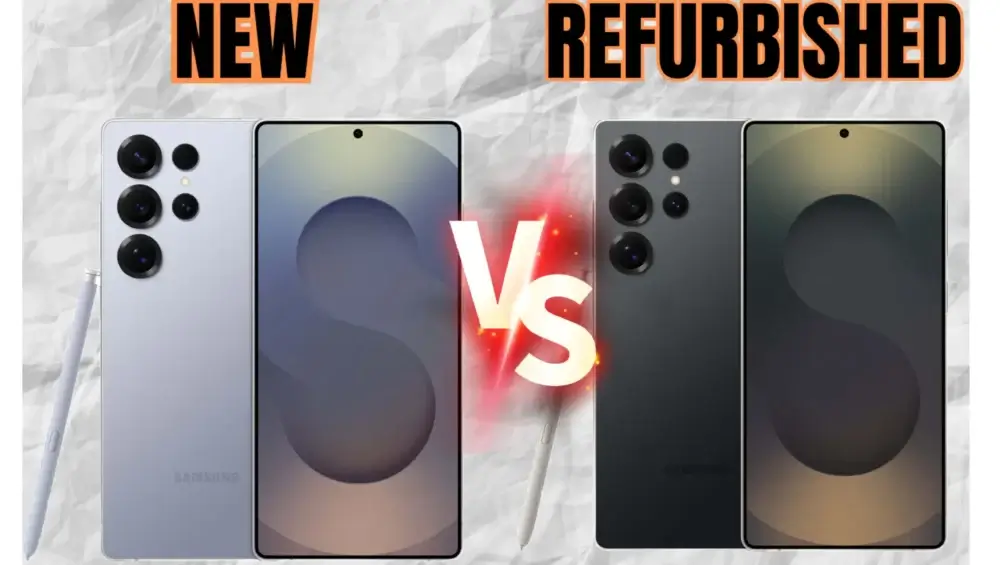
ropping $1,200 on a brand new smartphone hurts, especially when you know it loses a huge chunk of its value the second you tear off the plastic wrap. But the fear of buying a pre-owned device that dies a week later keeps most of us swiping our credit cards for full retail price just for peace of mind.
You do not have to choose between going broke and getting scammed. Buying refurbished electronics is one of the smartest ways to keep your budget intact, provided you know exactly which items to target and which ones to avoid at all costs.
This guide breaks down the exact rules of the second-hand tech market. You will learn the difference between a certified deal and a hidden disaster, helping you secure premium gear without paying the premium price tag.
The Huge Difference Between “Used” and “Factory Refurbished”
Before spending a single dollar, you need to understand marketplace terminology. People often use “used” and “refurbished” interchangeably, but they represent entirely different levels of risk for your wallet.
A used item is sold as-is by a private owner on platforms like Craigslist or Facebook Marketplace. Nobody has inspected it, tested the battery, or guaranteed that the internal components work. If it breaks on your drive home, you lose your money.
A certified refurbished item has been returned to the manufacturer or a certified third-party vendor. Technicians run diagnostic tests, replace faulty parts (like a cracked screen or dead battery), clean it thoroughly, and repackage it. Most importantly, these items come with a warranty and a strict return policy.
If you want to protect your emergency fund from unexpected replacement costs, stick strictly to certified refurbished goods rather than rolling the dice on a random used listing.
What is Completely Safe to Buy Refurbished (The Green Light List)
Certain electronics are built like tanks. Their internal components do not degrade rapidly, making them perfect candidates for the refurbished market.
- Smartphones and Tablets: These are the best items to buy refurbished directly from the manufacturer (like Apple or Samsung). They usually receive brand-new batteries and outer shells, making them virtually indistinguishable from new models while saving you $200 to $400.
- Premium Laptops: Business-class laptops and MacBooks are designed to last for a decade. Buying a two-year-old refurbished model gives you massive processing power at half the retail price.
- Camera Lenses: Glass does not go bad. While camera bodies have mechanical shutters that wear out, a well-inspected refurbished lens will perform exactly like a new one for a fraction of the cost.
- Video Game Consoles: Consoles have long lifespans. Manufacturers test returned units heavily to ensure the disc drives and cooling fans work perfectly before reselling them with full warranties.
At Budget Tips Hub, we consider these items the ultimate smart shopping targets. They offer the highest possible return on your spending without sacrificing quality.
What You Must Always Buy Brand New (The Red Light List)
Not all tech survives its first owner. Some devices degrade quickly through normal use, while others pose hygiene risks. Never try to cut corners on the following items.
- Hard Drives and Storage Devices: Solid State Drives (SSDs) and traditional hard drives have limited lifespans based on how much data gets written to them. Buying a used drive puts your personal data, photos, and work files at extreme risk of sudden corruption.
- In-Ear Headphones: Wireless earbuds sit deep inside a stranger’s ear canal, exposed to sweat and wax. Beyond the obvious hygiene issue, tiny earbud batteries degrade incredibly fast and are usually impossible to replace.
- Televisions: Modern flat-screen TVs are incredibly fragile. Shipping them back and forth increases the risk of microscopic panel damage. Plus, older OLED screens might carry permanent image burn-in from the previous owner.
- Printers: Inkjet printers are notorious for mechanical failure. Dried ink clogs the internal print heads over time, turning a cheap used printer into an unfixable, frustrating paperweight.
Quick Reference Guide: Refurbished vs. New
If you are standing in a store or browsing online, use this quick cheat sheet to make an instant, logic-based decision.
| Electronic Item | Best Buying Strategy | The Financial Reason |
| Smartphones | Buy Factory Refurbished | Depreciation hits instantly; refurbs get new batteries. |
| Hard Drives | Buy Brand New | Prevent catastrophic data loss from worn-out sectors. |
| Laptops | Buy Factory Refurbished | High-end components hold up well for 5+ years. |
| Wireless Earbuds | Buy Brand New | Batteries degrade fast; hygiene concerns are high. |
| Smartwatches | Buy Brand New | Constant skin contact and rapid battery wear. |
A Real-Life Scenario: How Mark Built a $2,000 Home Office for $850
Meet Mark, a freelance writer who needed a complete home office setup but had a strict budget. Walking into a big-box retailer, he priced out a new premium laptop, a 27-inch monitor, a wireless mouse, and an external backup drive. The total hit just over $2,000.
Mark decided to apply a strategic mix of new and refurbished buying rules. He went to the manufacturer’s official refurbished website and bought a one-year-old premium laptop for $600 (originally $1,300). He found a refurbished office monitor on Amazon Renewed for $150.
Because he knew the rules, he did not compromise on the peripherals that mattered most for hygiene and data safety. He bought a brand-new wireless mouse for $40 and a brand-new 2TB external hard drive for $60. Mark built a powerful, reliable workspace for just $850, keeping $1,150 safely inside his savings account.
Step-by-Step Guide to Vetting a Refurbished Deal
Do not blindly trust the word “refurbished” stamped on a box. You have to verify the seller’s claims to protect your cash. Follow this exact checklist before checking out:
- Check the Source: Only buy from the original manufacturer (like Apple Certified Refurbished) or massive, vetted platforms (like Amazon Renewed or Best Buy Outlet). Avoid random third-party sellers on eBay with low feedback scores.
- Verify the Warranty: A legitimate refurbished item must come with at least a 90-day warranty, though 1 year is the gold standard. If the seller only offers a 14-day return window, walk away immediately.
- Read the Grade Condition: Sellers grade items as A, B, or C. Grade A means mint condition. Grade B means minor cosmetic scratches but perfect functionality. Grade C means heavy wear and tear. Stick to Grades A and B to protect your investment.
- Confirm Battery Replacement: If you are buying a phone or laptop, check the fine print to see if the battery was replaced or if it just guarantees a minimum of 80% original capacity.
Upgrading Your Tech Without Downgrading Your Finances
Keeping up with technology does not require you to constantly drain your paycheck. By understanding the mechanical limits of different devices, you can exploit the refurbished market to your absolute advantage.
You take all the value and let the original owner absorb all the depreciation. Visit Budget Tips Hub regularly for more actionable frameworks on outsmarting retail traps, optimizing your monthly budget, and keeping your money exactly where it belongs.
Disclaimer: This content is for educational purposes only and does not constitute professional financial advice. Always verify product warranties, seller return policies, and device specifications before making any electronic purchases.